
New Computer Setup Services for Windows PCs and Macs

Getting a new computer should be exciting, not frustrating. However, setting up Windows or macOS, installing essential software, configuring email accounts, and connecting devices can quickly become overwhelming.

MicroSec® provides a professional new computer setup service through secure remote assistance. Our technicians help home users, seniors, professionals, and small businesses configure new Windows PCs and Macs, install compatible applications, set up essential accounts, and address common setup issues.

Whether you're replacing an old desktop, upgrading to a new laptop, or setting up a computer for work, our device setup services help you get started with greater confidence.

Need help setting up your new computer?

Contact MicroSec® for professional remote computer setup assistance.

Get Remote Setup Help
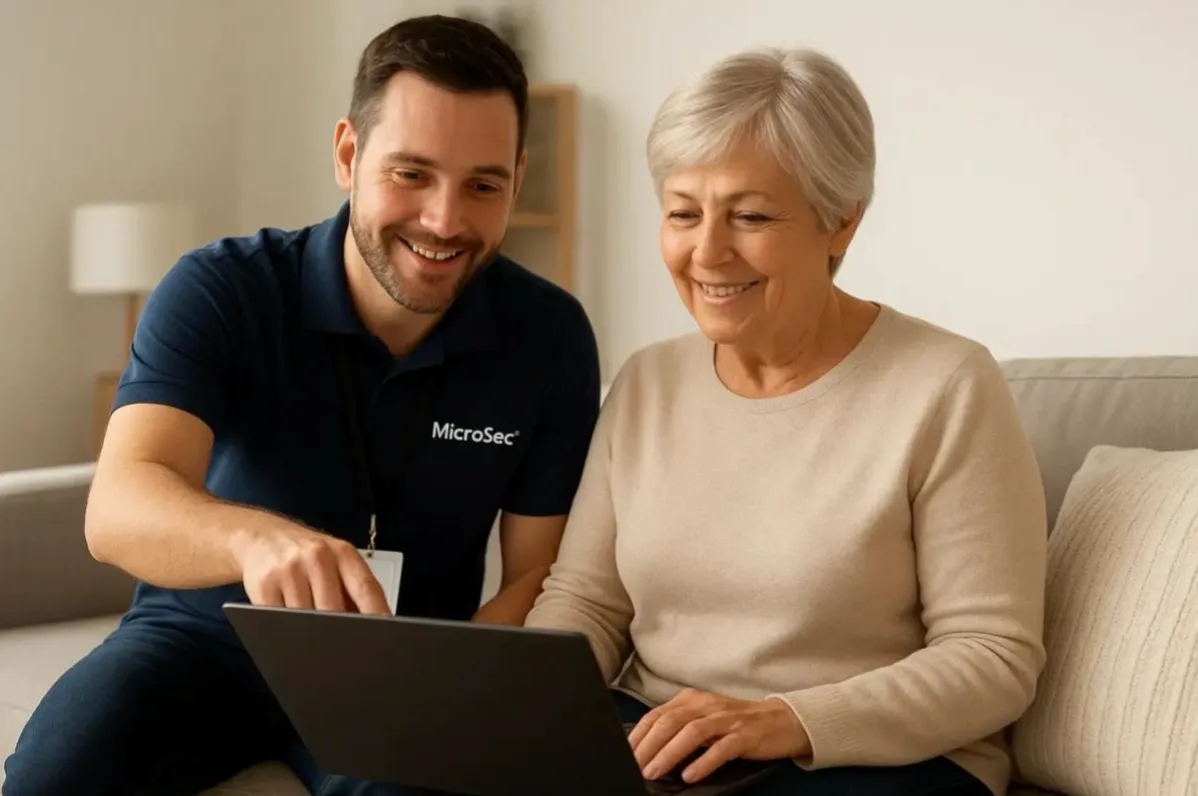
A friendly MicroSec® technician assisting a senior woman with her laptop at home, illustrating professional and patient device setup services.

What Is Included in Our New Computer Setup Service?

Setting up a computer involves more than turning it on and connecting to the internet. Proper configuration helps ensure your device is ready for everyday tasks, work, communication, and online activities.

Our computer setup services can include the following assistance, depending on your device and requirements.

01

Operating System Setup and Configuration

Whether you've purchased a new Windows PC or Mac, our technicians can help you complete the initial operating system setup.

This may include:

  • Completing Windows or macOS initial configuration.
  • Creating or signing in to supported user accounts.
  • Configuring basic system preferences.
  • Installing available operating system updates.
  • Reviewing privacy and security settings.
  • Helping you understand essential system features.

We help you configure your computer according to your needs rather than relying entirely on default settings.

02

Software Installation and Application Setup

Installing applications on a new computer can involve compatibility issues, licensing requirements, and account activation.

MicroSec® provides assistance with:

  • Installing compatible productivity applications.
  • Setting up supported web browsers.
  • Configuring commonly used software.
  • Troubleshooting application installation errors.
  • Signing in to existing software accounts.
  • Assisting with eligible software activation.

Our technicians can also help identify applications that require updated versions or additional configuration.

03

Email and Microsoft 365 Configuration

A new computer often requires you to reconnect email accounts and productivity applications.

We assist with supported email account setup, Outlook configuration, and Microsoft 365 applications.

If you encounter sign-in errors, synchronization problems, or application issues, our Microsoft Office 365 Troubleshooting service provides additional assistance.

04

Printer and Peripheral Setup

Connecting a printer or other accessory to a new computer does not always work immediately.

Our technicians can assist with supported:

  • Printer driver installation.
  • Wireless and wired printer configuration.
  • Printer connectivity troubleshooting.
  • Scanner setup.
  • External storage connections.
  • Other compatible computer accessories.

For persistent printing problems, explore our Printer Troubleshooting service.

05

Security Software Installation and Configuration

Security is an important part of setting up a new computer.

MicroSec® can assist with installing and configuring compatible security applications, reviewing available protection settings, and checking for essential operating system updates.

Depending on your preferences, existing subscriptions, and device compatibility, our technicians can help configure supported antivirus and security software.

We also explain basic security practices to help you use your new computer more safely.

Windows PC and Mac Setup Assistance

Different operating systems have different setup requirements. MicroSec® provides remote assistance for supported Windows and Mac computers.

PC

New Windows PC Setup

Purchased a new Windows desktop or laptop?

Our new PC setup assistance can help with:

  • Windows 11 initial configuration.
  • Microsoft account setup.
  • Windows updates.
  • Software installation.
  • Email and browser configuration.
  • Supported printer connections.
  • Basic privacy and security settings.

We help you understand your new Windows computer and prepare it for everyday use.

LT

New Laptop Setup

A new laptop may require additional configuration before you're ready to work, study, or browse online.

Our new laptop setup service includes remote assistance with supported operating system settings, applications, wireless connectivity, email accounts, and compatible accessories.

Whether you're replacing an older laptop or purchasing your first one, we can guide you through the setup process.

Mac

New Mac Setup

Switching to a new Mac or setting up your first Apple computer?

MicroSec® can assist with supported macOS configuration, Apple Account sign-in, application installation, system preferences, and email setup.

If you're moving from Windows to macOS, we can also help identify differences in applications and file compatibility.

Moving From an Old Computer to a New One?

Purchasing a new computer often means transferring important documents, photos, emails, and other personal files from your previous device.

However, not all applications and settings can be transferred directly, especially when switching between Windows and Mac computers.

Our Computer Data Transfer Services provide remote assistance with moving supported files and settings from an old computer to a new one.

We can help assess your transfer requirements, identify suitable methods, and address supported migration issues.

When Do You Need Professional Computer Setup Help?

A new computer may be ready to power on, but that doesn't mean every application, account, or accessory is ready to use.

Professional setup assistance can be helpful when:

  • You're unfamiliar with Windows 11 or macOS.
  • You need help installing essential applications.
  • Your email accounts aren't working on the new computer.
  • You're experiencing software installation errors.
  • Your printer won't connect.
  • You need assistance configuring security software.
  • You're replacing an older desktop or laptop.
  • You want guidance understanding your new computer's settings.
  • You're setting up a computer for remote work or everyday business tasks.

Rather than spending hours troubleshooting unfamiliar settings, you can get assistance from a technician who can guide you through the process remotely.

How Does Our Remote Computer Setup Service Work?

MicroSec® offers remote computer setup assistance to customers across the United States.

Our process is designed to make it easier to receive professional help without visiting a computer repair shop.

1

Contact MicroSec®

Tell us about your new computer, operating system, and the applications or devices you need help configuring.

We'll discuss your setup requirements and determine whether remote assistance is suitable.

2

Connect With a Technician

When remote support is appropriate, our technician will guide you through establishing a support connection with your permission.

Your computer must generally be powered on and have a working internet connection for remote assistance.

3

Configure Your Computer

Depending on your requirements, we can assist with operating system settings, compatible software installation, email accounts, security applications, and supported accessories.

Some setup tasks may require you to complete steps directly on your device.

4

Check Essential Functions

After configuration, we can help verify that selected applications, accounts, and connected devices are working as expected.

5

Get Guidance on Your New Device

Our technicians can answer questions about basic computer settings and explain important features so you feel more comfortable using your new device.

Who Can Benefit From Our Device Setup Services?

MicroSec® provides professional setup assistance for customers with different technical needs and experience levels.

01

Home Users

Whether you're replacing a family computer or purchasing a laptop for personal use, we can help configure supported applications, accounts, and accessories.

Our goal is to make the transition to your new computer easier.

02

Seniors and First-Time Computer Users

Learning a new operating system or device can be challenging, especially when settings and applications look unfamiliar.

Our technicians provide patient, straightforward guidance and explain important setup steps in easy-to-understand language.

We can help with email configuration, basic computer settings, software installation, and compatible peripheral connections.

03

Remote Workers and Busy Professionals

A properly configured computer is important when you depend on technology for communication, meetings, and daily work.

We can assist with supported productivity software, email accounts, computer settings, and common setup problems.

04

Small Business Owners

Setting up computers for a small business may involve productivity applications, security settings, email accounts, and network connectivity.

MicroSec® provides remote assistance for supported business computer setup requirements.

Businesses that need ongoing technology management can also explore our Managed IT Services.

Why Choose MicroSec® for New Computer Setup?

Professional Remote IT Assistance

Our technicians provide computer setup assistance remotely, helping eligible customers resolve configuration issues without unnecessary travel.

Windows and Mac Support

We assist with supported Windows and macOS setup tasks, including essential software, account configuration, and common connectivity issues.

Help With More Than Initial Setup

A new computer may also require email troubleshooting, data transfer, printer configuration, or software assistance. MicroSec® offers related IT support services when additional help is needed.

Straightforward Technical Guidance

We explain setup requirements and common technical issues in understandable terms so you can make informed decisions about your computer.

Support for Home Users and Businesses

Whether you need help with a personal laptop or a computer used for business, we can discuss your requirements and determine the appropriate support options.

New York Capital Region and Nationwide Remote Computer Setup Support

MicroSec® provides remote computer setup assistance to customers in New York and throughout the United States.

We regularly help customers in communities throughout New York, including Waterford, Albany, Troy, Schenectady, Clifton Park, Cohoes, and the surrounding Capital Region, while also supporting customers nationwide through secure remote assistance.

Whether you're setting up a new computer at home or preparing a device for work, our remote technicians can help assess your setup needs.

Related Computer Support Services

Setting up a new computer sometimes involves additional tasks beyond the initial configuration. MicroSec® offers related remote IT services to help address these needs.

Frequently Asked Questions

Frequently Asked Questions

Clear answers to common questions — no technical jargon, no pressure.

Yes. MicroSec® helps customers configure supported Windows and Mac laptops, including essential applications, accounts, system settings, and compatible accessories.

Still Got Questions?

Talk to our experts anytime — we’re here to help.

Talk to Security Expert

Get Professional Help Setting Up Your New Computer

Your new computer should be ready to support your everyday activities, not create unnecessary frustration.

Whether you need assistance configuring a Windows 11 PC, setting up a Mac, installing applications, connecting a printer, or preparing a laptop for work, MicroSec® provides professional remote computer setup assistance.

Let our technicians help you get started with your new device.

Get Remote Computer Setup Help

Call MicroSec® at 518-818-4262 or 518-808-2700 to discuss your setup requirements.